
# vue 组件
组件化开发指的是:根据封装的思想,把页面上可重用的 UI 结构封装为组件,从而方便项目的开发和维护
vue 是一个支持组件化的前端框架
vue 中规定:组件的后缀名是.vue. 之前接触到的 App.vue 文件本质上就是一个 vue 的组件
# vue 组件的组成部分
每个.vue 组件都由三部分构成
- template -> 组件的模板结构
- script -> 组件的 JavaScript 行为
- style -> 组件的样式
其中,每个组件中必须包含 template 模板结构,而 script 行为和 style 样式是可选的组成部分
1 | <template> |
# 组件之间的父子关系
- 组件在被封装好后,不存在父子关系
- 在使用组件的时候,根据彼此的嵌套关系,形成了父子关系,兄弟关系
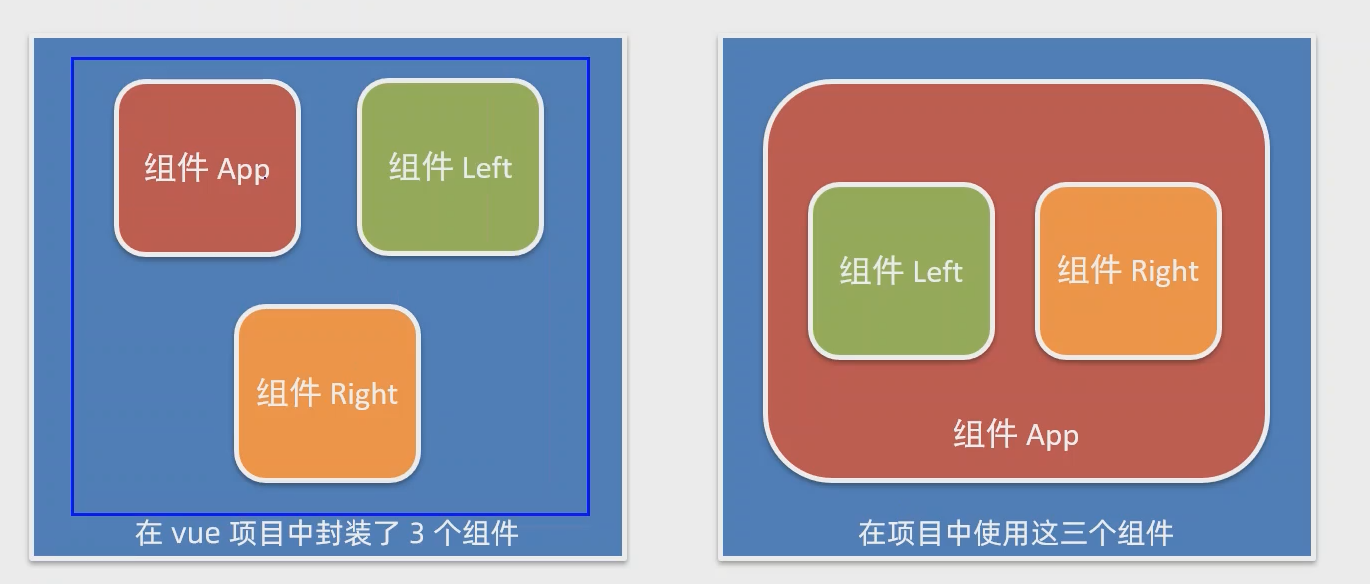
# 使用组建的三个步骤
使用 import 语法导入需要的组件
1
import Left from '@/components/Left.vue'
使用 components 节点注册组件
1
2
3
4
5
export default {
components: {
Left
}
}以标签形式使用刚才注册的组件
1
2
3
4
5
6
7
8
9
10
<template>
<div class="app-container">
<h1>App根组件</h1>
<hr/>
<div class="box">
<Left></Left>
<Right></Right>
</div>
</div>
</template>
# 通过 components 注册的是私有子组件
例:在组件 A 中的 components 节点下,注册了组件 F, 则组件 F 只能用在组件 A 中,不能被用在组件 C 中
# 注册全局组件
在 vue 项目的 main.js 入口文件中,通过 Vue.component () 方法,可以注册全局组件
1 | import Count from '@/components/Count' |
# 组件的 props
props 是组件的自定义属性,在封装通用组件的时候,合理的使用 props 可以极大的提高组件的复用性
1 | <template> |
vue 规定:组件中封装的自定义属性是只读的,程序员不能直接修改 props 的值。否则会直接报错
想要修改 props 的值,可以把 props 的值转存到 data 中,因为 data 中的数据都是可读可写的
# props 中的 default 默认值
此时 props 属性就不能简单的设置为 list 格式了,需要转成对对象格式才能满足要求
1 | export default { |
# props 中的 type 值类型
在声明自定义属性时,可以通过 type 来定义属性的值类型
1 | export default { |
# props 中的 required 属性
如果该属性为 true, 则标签内必须含有此自定义属性
1 | export default { |
# 组件之间的样式冲突问题
默认情况下,卸载.vue 组件中的样式会全局生效,因此很容易造成多个组件之间的样式冲突问题
导致组件之间样式冲突的根本原因是 :
- 单页面应用程序中,所有组件的 DOM 结构,都是基于唯一的 index.html 进行呈现的
- 每个组件中的样式,都会影响整个 index.html 页面中的 DOM 元素
解决方案 :
为每个组件都加上各自的自定义属性,然后在 style 中通过以下方式来避免冲突
1
xxx[自定义属性] {}
在.vue 中 style 标签中加上 scoped, vue 会自动执行上面的步骤
1
2<style lang="less" scoped>
</style>
